OAuth Scopes: Permissions & Security Best Practices
Learn OAuth scope security best practices to prevent over-privileged permissions, detect token abuse, and stop lateral movement through SaaS integrations.
During a routine access review, a security analyst discovers an OAuth application called "Campaign Analytics Pro" with full read/write access to Google Drive. Nobody on the current team recognizes it. The authorization date: 2021. The authorizing user: departed 18 months ago. The company behind the app: acquired, then shuttered. For three years, this orphaned application has maintained the ability to read and modify every file in your Drive.
This scenario plays out across enterprises daily. OAuth scopes granted once persist until explicitly revoked. Most organizations don't know what scopes they've approved, which applications hold dangerous permissions, or how these authorizations create invisible attack paths that bypass MFA and traditional controls. Understanding OAuth Scopes: Permissions & Security Best Practices isn't just about compliance-it's about preventing the next breach that rides trusted connections straight into your most sensitive systems.
Key Takeaways
- OAuth scopes define blast radius: The permissions granted to third-party applications determine what attackers can access if that application is compromised-from read-only data exfiltration to complete administrative control
- Over-scoping is the default: Developers request broad permissions because it's easier, users approve without reading, and "full access" becomes permanent even when minimal scopes would suffice
- Stale scopes create persistent risk: Applications authorized years ago with excessive permissions remain active even after projects end, employees depart, and vendors shut down
- Behavioral detection reveals scope abuse: Monitoring whether applications use the scopes they requested exposes over-privileging and detects when compromised apps exhibit anomalous access patterns
- Toxic combinations multiply exposure: Individual scopes may appear reasonable, but combinations across connected applications create lateral movement paths that turn isolated risks into enterprise-wide breaches
What Are OAuth Scopes?
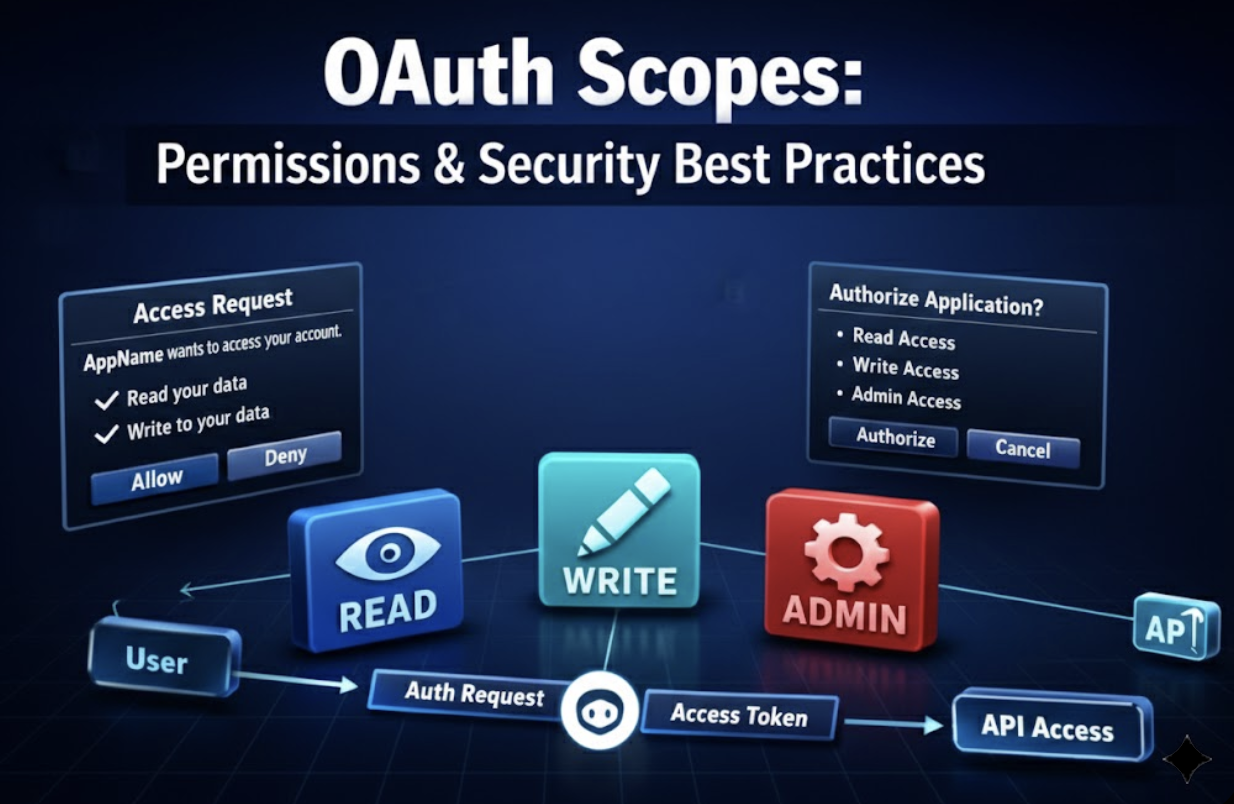
OAuth scopes are permission strings that define exactly what actions an application can perform on behalf of a user. When you click "Allow" on a consent screen showing "Read your email" or "Manage your calendar," you're granting specific OAuth scopes to that application. These scopes function like bearer tokens-whoever possesses them can exercise the permissions they represent.
The consent screen checkbox labels translate to technical scope strings that authorization servers validate. A request for gmail.readonly grants read access to email messages. A request for drive.file allows the application to create and modify files it creates. A request for mail.readwrite provides complete control over the mailbox.
Once granted, scopes define the blast radius of any compromise. If an application with drive (full Drive access) is breached, attackers inherit the ability to read, modify, and delete every file the authorizing user can access. The scope determines capability; the compromise determines whether that capability becomes weaponized.
Most organizations treat OAuth authorization as a one-time decision. Users click "Allow," the application gains access, and nobody reviews those permissions again. Meanwhile, those scopes persist indefinitely-surviving password changes, MFA enrollment, even the departure of the authorizing user. Understanding OAuth security best practices requires recognizing that scopes granted years ago remain active attack surfaces today.
Scope Types and Their Risk Levels
Read-Only Scopes
Read-only scopes like gmail.readonly, drive.readonly, and calendar.readonly appear benign. The application can't modify data, so what's the risk? Data exfiltration. If an application with read-only access is compromised, attackers can systematically extract every email, document, and calendar entry the user can access.
Security teams often consider read-only permissions "safe" and approve them without scrutiny. But reconnaissance value is immense. Attackers use read access to map organizational structure, identify high-value targets, discover credentials stored in documents, and plan subsequent attacks. The Snowflake campaign demonstrated how read access to data warehouses enabled massive data theft without requiring write permissions.
Read/Write Scopes
Read/write scopes like gmail.compose, calendar.events, and drive.file enable both data access and modification. Attackers with these permissions can plant evidence, send phishing emails from trusted accounts, alter financial records, or modify documents to inject malicious links.
The gmail.compose scope allows sending email as the user. Compromised applications with this scope become platforms for business email compromise attacks that bypass email security gateways because messages originate from legitimate accounts. The calendar.events scope enables attackers to create fake meetings, modify existing appointments, or delete calendar entries to disrupt operations.
Full Access Scopes
Full access scopes combine read, write, and administrative capabilities. Requesting mail.read + mail.send + mail.readwrite together grants complete mailbox control. The drive scope (without qualifiers) provides unrestricted Drive access.
These scopes are often granted "just in case" during initial application setup. Developers request broad permissions to avoid future authorization requests. Users approve because they trust the application vendor. The result: applications maintain administrative access they may never use, creating unnecessary exposure that persists for years.
Sensitive/Restricted Scopes
Google classifies certain scopes as "sensitive" or "restricted," requiring additional verification before OAuth applications can request them. These include scopes for Gmail access, Drive access, and admin SDK operations. Despite verification requirements, legitimate applications routinely obtain these scopes, and users regularly approve them.
Microsoft enforces protocol-specific OAuth scopes for email authentication. IMAP requires https://outlook.office.com/IMAP.AccessAsUser.All, POP requires https://outlook.office.com/POP.AccessAsUser.All, and SMTP AUTH requires https://outlook.office.com/SMTP.Send. These scopes must be explicitly granted and cannot be inferred from broader permissions.
Standard OIDC Scopes
OpenID Connect (OIDC) defines standard scopes for authentication flows. The openid scope is required for OIDC and returns an ID token. The profile scope provides name, picture, and locale information. The email scope grants access to the user's email address.
The most dangerous OIDC scope is offline_access, which enables refresh tokens. Refresh tokens provide long-term access that persists beyond the initial session. Unlike access tokens that expire in minutes or hours, refresh tokens can remain valid for months or years, operating outside traditional login flows and surviving password resets.
The Scope Security Problems Nobody's Solving
Over-Scoped by Default
Developers request "admin" scopes because it's easier than determining minimum required permissions. Users approve without reading the consent screen. "It needs full access to work" becomes the justification for granting permissions the application will never use.
This pattern repeats across every OAuth integration. Marketing teams authorize analytics tools with full Drive access when read-only would suffice. Sales teams grant CRM integrations complete calendar control when event creation is the only requirement. Finance teams approve expense applications with admin permissions when expense report submission needs minimal scopes.
The path of least resistance leads to maximum permissions. Nobody gets blamed for granting too much access. But under-scoped applications that fail to function generate support tickets, user complaints, and developer escalations. The incentive structure favors over-scoping.
Scope Creep Over Time
Applications authorized with read access later request write access. Users approve the incremental request without questioning why requirements changed. The original read-only justification is forgotten, and the application now maintains write permissions indefinitely.
OAuth's incremental authorization feature enables this creep. Applications can request additional scopes at any time, presenting users with consent screens for expanded permissions. Users who already trust the application typically approve without scrutiny. Each incremental grant expands the blast radius.
According to Obsidian's network data, integrations increased 123% year-over-year, with each integration requesting an average of 4.7 scopes. As applications add features, they request additional permissions. But they rarely relinquish scopes when features are deprecated or removed.
Stale Scopes from Dead Integrations
Projects end. OAuth applications remain authorized. Scopes granted for use cases that no longer exist persist indefinitely because no process exists to review and revoke them.
The "Campaign Analytics Pro" scenario from the opening isn't hypothetical. Every enterprise has dozens of orphaned OAuth applications-authorized by departed employees, created by vendors that no longer exist, granted permissions for projects that ended years ago. These stale integrations maintain whatever scopes were originally approved, creating persistent attack surfaces nobody monitors.
Traditional access reviews focus on user accounts. But OAuth applications are non-human identities that operate independently of user authentication. They don't appear in typical identity governance workflows. They're invisible until an audit discovers them or a breach exploits them. Understanding SaaS supply chain security requires visibility into these hidden connections.
Inherited Scopes in Third-Party Compromise
Your vendor has OAuth access to your Salesforce environment. The vendor is breached. Attackers inherit whatever scopes were granted. The Salesloft-Drift incident demonstrated how third-party compromise enables attackers to ride those trusted connections straight into customer environments.
When Drift was compromised, attackers gained access to OAuth tokens Drift used to integrate with customer Salesforce instances. Those tokens carried the scopes customers had approved-often including read/write access to customer records, opportunity data, and contact information. The breach affected 700+ organizations because the OAuth tokens provided direct access without requiring additional authentication.
This is SaaS supply chain risk manifested. You performed vendor security assessments. You reviewed SOC 2 reports. You validated security controls. But the OAuth scopes you granted created a direct path from vendor compromise to your data. The scopes defined the blast radius; the vendor breach activated it.
OAuth Scopes vs. Roles vs. Permissions: Understanding the Layers
ConceptWhat It ControlsWho Grants ItScope of ControlPersistenceOAuth Scopes Third-party app access to user data End users via consent screen Limits what applications can do on behalf of users Until explicitly revoked Roles User access levels within applications Administrators through IAM Groups permissions for user accounts While user maintains role assignment Permissions Specific actions on specific resources System/administrators Granular action control (read file, delete record) Based on role membership
The dangerous interaction: OAuth scopes can only grant access the user already possesses. But users with admin roles can grant admin-level scopes to third-party applications. When an admin user authorizes an OAuth application requesting broad scopes, that application inherits admin-level access.
Consider a Google Workspace admin who authorizes a productivity application requesting the admin.directory.user scope. That application can now create, modify, and delete user accounts across the entire organization. The OAuth scope delegated the admin's permissions to the third-party application. If that application is compromised, attackers inherit administrative control.
This is why scope governance must consider user roles. Applications requesting sensitive scopes should require approval from security teams, not just end users. High-privilege users should face additional scrutiny when authorizing third-party applications. The combination of admin roles and broad OAuth scopes creates toxic combinations that multiply risk.
OAuth Scopes: Permissions & Security Best Practices for Implementation
Request Only What You Need (Developer Guidance)
Start with minimum required scopes. Add incrementally as features require additional permissions. Document why each scope is necessary and maintain that justification as the application evolves.
The least-privilege principle applies to OAuth scopes just as it applies to user permissions. Design clients to access only the data they need, with read-only access as the default. Add a write suffix only when higher privileges are genuinely necessary. Avoid requesting admin or full-access scopes unless the application's core functionality requires them.
Google's best practices emphasize incremental authorization-requesting OAuth scopes only when needed for specific functionality, not all at once during initial authentication. If your application has a feature that exports data to spreadsheets, request Drive write access when the user activates that feature, not during initial login.
Review What You've Approved (Security Team Guidance)
Inventory all OAuth applications and their scopes. Identify applications with admin or full-access scopes. Flag scopes that exceed business justification. This isn't a one-time audit-it's continuous governance.
Most organizations discover they have no comprehensive view of OAuth authorizations. Users grant access directly through consent screens. Applications register with identity providers without security team involvement. The first time security teams see the full scope landscape is during incident response or compliance audits.
Obsidian's platform discovers every OAuth scope granted across your SaaS environment, identifies over-privileged applications, and detects when scope usage patterns change. This visibility reveals the operational reality: which applications have dangerous permissions, which scopes are actually being used, and which integrations represent unnecessary exposure. Learn more about uncovering blind spots in your SaaS security ecosystem.
Implement Scope Governance Workflows
Establish approval workflows for applications requesting sensitive scopes. Regular review cadence for existing authorizations. Automatic flagging when new broad-scope applications appear.
Scope governance means:
- Pre-authorization review: Security team approval required before users can authorize applications requesting admin, full-access, or restricted scopes
- Quarterly access reviews: Systematic evaluation of all OAuth applications, their scopes, and business justification
- Automated detection: Alerts when new applications request dangerous scopes or existing applications request scope expansion
- Revocation procedures: Clear process for removing OAuth authorizations when applications are no longer needed
Authorization servers must validate scope requests by maintaining a whitelist of allowed scopes per client and immediately rejecting unauthorized or unexpected scope requests. This prevents applications from requesting scopes they weren't designed to use and blocks malicious applications from requesting excessive permissions.
Monitor Scope Usage Patterns
Are applications using all the scopes they requested? Unused scopes indicate over-privileging. Sudden changes in scope usage patterns indicate potential compromise.
Behavioral monitoring reveals:
- Applications with admin scopes that only read data: Over-privileged integrations that requested broad permissions but use minimal functionality
- Integrations with write access that haven't written in months: Stale capabilities that represent unnecessary risk
- "Full access" applications that access one folder: Massive over-scoping where minimal permissions would suffice
- Scope usage spikes: Compromised applications suddenly exercising permissions they've never used
This is where behavior versus inventory becomes critical. Scope inventory shows permissions granted. Scope monitoring shows permissions used. The gap between granted and used represents your unnecessary exposure. For more on this approach, see our guide on SaaS security posture management.
Enforce Scope Validation at API Endpoints
All API endpoints must verify that required scopes are present in access tokens and return HTTP 403 Forbidden responses when scope verification fails. This is API-level enforcement-the last line of defense against scope abuse.
Gateway-level scope verification should combine JWT or opaque token validation with scope checks. Enable per-client quotas and rate limits with burst control to prevent abuse even when scopes are legitimately granted. If an application with read access suddenly makes 10,000 API calls per minute, rate limiting contains the blast radius even if the scope technically permits the access.
Scope transparency in consent is equally important. Display scopes clearly to users during the consent step and ensure users understand what permissions they're granting to third-party applications. Generic labels like "Access your data" are insufficient. Users need to see "Read all email messages," "Modify calendar events," or "Delete files from Drive."
Avoid Scope Explosion Through Thoughtful Design
Keep scopes stable and grouped by business areas rather than creating numerous fine-grained scopes. Excessive scope proliferation leads to maintenance difficulties and security risks.
The temptation is to create highly granular scopes: email.read.inbox, email.read.sent, email.read.drafts, etc. But scope explosion creates its own problems. Users can't meaningfully evaluate 47 different permission requests. Developers struggle to determine which combinations are required. Authorization servers face performance issues validating complex scope combinations.
Instead, group related permissions into cohesive scopes that represent logical business functions. Use email.read for all read access to email, then implement fine-grained controls at the API level based on resource ownership and business logic. The OAuth scope defines the general capability; API-level authorization enforces specific constraints.
The Challenge: Scopes Are Static, Risks Are Dynamic
OAuth scopes represent permissions granted at a point in time. But risks evolve continuously. The application you authorized last year operates in a different threat landscape today. The vendor you trusted has been acquired. The employee who approved the integration has departed. The business justification has changed.
Static scope inventory shows what permissions exist. It doesn't reveal:
- Whether those permissions are being used: Applications maintaining admin access they've never exercised
- How usage patterns have changed: Gradual increases in API calls or data access that indicate compromise
- Lateral movement paths: How scopes across multiple applications combine to create attack chains
- Toxic combinations: Individual scopes that appear reasonable but together enable devastating breaches
What Scope Visibility Reveals
Comprehensive scope visibility exposes the gap between granted and used permissions. Applications with admin scopes that only read data represent over-privileging. Integrations with write access that haven't written in months indicate stale capabilities. "Full access" applications that access one folder show massive over-scoping where minimal permissions would suffice.
This visibility enables risk-based prioritization. Not all OAuth scopes create equal risk. An abandoned marketing application with read-only access to public calendar events is low risk. An active CRM integration with full Drive access and external data sharing enabled is high risk. Scope visibility combined with usage patterns and business context enables intelligent risk assessment.
Why Behavior Matters More Than Permissions
A compromised application with read-only scope can still exfiltrate sensitive data. But behavioral detection catches exfiltration patterns that permission audits miss.
The scope defines capability. Behavior reveals intent. An application with drive.readonly accessing 10 files per day for six months establishes a baseline. The same application suddenly accessing 10,000 files per day indicates compromise-even though the scope technically permits the access.
Behavioral detection identifies:
- Anomalous volume: Sudden spikes in API calls or data access
- Geographic anomalies: OAuth tokens used from locations never seen before
- Temporal anomalies: Access patterns outside normal business hours
- Scope usage changes: Applications suddenly exercising permissions they've never used
- Lateral movement: Token usage patterns that indicate SaaS-to-SaaS movement
This is the hidden layer where attackers operate. They don't need to request new scopes or bypass authentication. They abuse existing, legitimately granted permissions in ways that deviate from established patterns. Traditional security tools that focus on authentication miss this entirely because the authentication is legitimate-it's the behavior that's malicious. Explore how to detect and prevent lateral movement in SaaS environments.
The Toxic Combination Problem
Application A has read access to Salesforce. Application B has write access to external systems. Neither scope alone is particularly dangerous. But when Application A is compromised, attackers can read Salesforce data and exfiltrate it through Application B's external write access. The combination creates risk that neither scope individually represents.
This is SaaS-to-SaaS lateral movement enabled by OAuth scopes. Attackers don't need to compromise your most privileged applications. They compromise lower-value applications with seemingly reasonable scopes, then ride the trusted connections between applications to access sensitive systems.
The Salesloft-Drift incident demonstrated this pattern. Attackers compromised Drift, which had OAuth access to customer Salesforce instances. Those Salesforce instances had integrations with other applications-Gainsight, marketing automation platforms, analytics tools. Each integration carried its own OAuth scopes. The initial compromise of Drift created a beachhead. The OAuth tokens enabled lateral movement. The interconnected scopes multiplied the blast radius to 700+ organizations.
Detecting toxic combinations requires understanding the relationships between applications-the Knowledge Graph of your SaaS environment. Individual scope audits miss these attack paths because they evaluate permissions in isolation. Relationship mapping reveals how scopes combine across connected applications to create lateral movement opportunities.
Know What Scopes Your Users Have Granted
Your employees have granted OAuth scopes you've never reviewed, to applications you may not recognize, with permissions that would fail your next audit. These aren't theoretical risks. They're operational realities creating blind spots where attackers already operate.
The marketing team authorized a social media analytics tool with full Google Drive access. The sales team approved a productivity application with complete calendar control. The finance team granted an expense platform admin permissions to Salesforce. Each authorization made sense in isolation. Together, they create an attack surface that spans your entire SaaS estate.
Obsidian discovers every OAuth scope granted across your SaaS environment, identifies over-privileged applications, and detects when scope usage patterns change. See which scopes create the most risk, which applications maintain unnecessary permissions, and how compromised integrations could move laterally through your environment.
Understanding OAuth Scopes: Permissions & Security Best Practices means moving beyond static permission inventories to behavioral monitoring that reveals how scopes are actually used. It means detecting toxic combinations before attackers exploit them. It means knowing what's talking to your Salesforce, your Drive, your email-and whether those conversations match expected patterns.
The scopes you granted yesterday define the blast radius of tomorrow's breach. See what you've authorized before attackers do. Request a demo to discover your OAuth scope exposure.
Conclusion
OAuth scopes are the permission strings that define what third-party applications can do on behalf of your users. They determine whether a compromised integration results in limited data exposure or complete administrative takeover. They persist indefinitely until explicitly revoked, creating attack surfaces that survive password changes, MFA enrollment, and employee departures.
The security challenges are systemic: developers over-scope by default, users approve without reading, integrations accumulate over time, and nobody maintains visibility into what permissions exist or how they're being used. Stale scopes from dead integrations, inherited permissions from vendor compromises, and toxic combinations across connected applications turn individual OAuth authorizations into enterprise-wide breach paths.
Implementing OAuth Scopes: Permissions & Security Best Practices requires:
- Minimum necessary scopes during application development
- Continuous visibility into all OAuth authorizations
- Governance workflows for sensitive scope approvals
- Behavioral monitoring to detect scope abuse
- Relationship mapping to identify toxic combinations
Static permission inventories show what scopes exist. Behavioral detection reveals how they're used. The gap between granted and used permissions represents your unnecessary exposure. The deviation from established patterns indicates compromise. The connections between applications define lateral movement paths.
Your OAuth scopes are already creating blind spots in your SaaS security ecosystem. The question isn't whether attackers will exploit them-it's whether you'll detect the exploitation before the blast radius expands across your entire environment.
Reading the consent screen is step four of a vendor risk assessment, and the step most programs skip.